


Booba Kitchen: Kids Cooking!
4.474.00 Reviews
App Specs
- Version
- 1.0.15
- Updated On
- License
- Free
- Downloads
- 10,000,000+
- Developer
- GlowCub Kids Games
- Categories
- Role Playing
- Platform
- Android, iOS
Screenshots


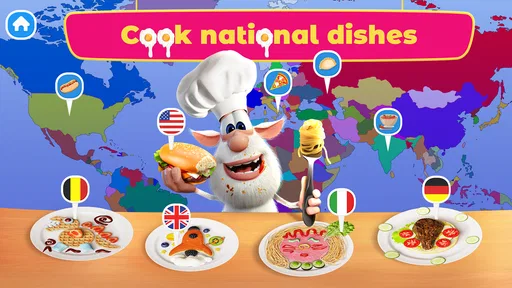

 Analysis by AppCompare
Have you ever wished you could whip up some culinary magic with your kids without the mess? Well, welcome to Booba Kitchen: Kids Cooking! This app is like a virtual playground where your little ones can dive into the world of cooking alongside the ever-curious Booba. Let me tell you, it's a delightful mix of fun, learning, and creativity that had me grinning from ear to ear.
A relaxed first visit to the kitchen
I’d treat this as a short, shared activity rather than an app to hand over for a long stretch. Sitting beside a child for the first few minutes gives you a chance to see how they respond to the bright presentation and whether they can follow the on-screen prompts comfortably. Once they understand the rhythm, they can take more of the lead, while you stay nearby to help with a step that needs reading or patience.
That small adjustment matters with a cooking game. The appeal is not just tapping through a recipe; it is watching a sequence come together and giving a child room to make choices. If your child is new to touchscreen games, start when neither of you is in a hurry. If they already enjoy playful apps, they may be ready to explore more independently, with an adult close enough to keep the experience age-appropriate.
Getting Started with Booba
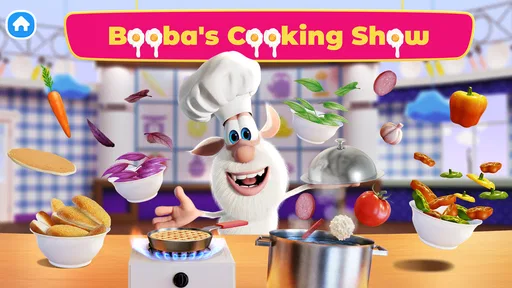
First things first, downloading Booba Kitchen: Kids Cooking! is a breeze. A quick trip to the App Store or Google Play, and you're ready to roll. Once you fire it up, you're greeted by vibrant, colorful graphics that immediately catch the eye. Booba, our favorite little creature, is there to guide us through a variety of recipes and kitchen adventures. And trust me, he’s got the charm to keep the kiddos entertained.
Diving into the Kitchen
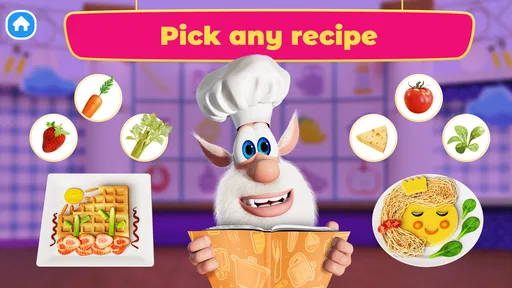
Now, let’s talk about the real star of the show—the cooking! The app offers a wide array of dishes, from simple snacks to more elaborate meals. Each recipe is broken down into easy-to-follow steps, perfect for the tiny hands and minds exploring the kitchen for the first time. What’s great is how intuitive the interface is; even the youngest chefs can navigate without a hitch.
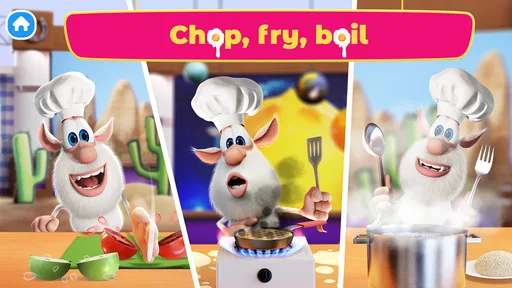
The cooking process is interactive and engaging. Kids get to chop, stir, bake, and plate their creations, all while learning about different ingredients and cooking techniques. There's something distinctly satisfying about seeing a digital dish come together, and the app does a stellar job of making each step feel rewarding.
Make the play feel like a little routine
A useful way to play is to let the child describe what they are doing as they go: what comes next, which ingredient they are handling, or how the finished dish should look. That turns the simple sequence into a chance to practise attention and language without turning the game into a lesson. I’d keep the questions light. If the child is more interested in tapping and seeing the result, let that be enough.
Worth Reading Before You Choose

Flipboard Shows What News Apps Must Do Beyond the Feed

Switching to Android Auto Means Rethinking Your Driving Routine

Google Calendar Makes a Crowded Week Easier to Manage

Ludo King Makes the Most of the Minutes Between Plans

Baby Panda World Brings Quick Play to Modern Phones, but Its Game Library Feels Busy

ESPN’s Live Game View Makes Following Close Games Easier
For a calmer session, agree on a natural stopping point before you begin, such as finishing the dish currently on screen. This helps avoid the familiar tug-of-war over putting a device away. It also makes the game easier to fit into everyday gaps: a short quiet moment before dinner, a rainy afternoon at home, or a little shared activity while an adult is nearby. The best use is modest and intentional, not as a substitute for cooking together in a real kitchen.
Learning Meets Play
While fun is at the forefront, Booba Kitchen sneaks in a healthy dose of education too. The app subtly introduces concepts like counting, following instructions, and understanding sequences. As kids follow along, they’re also picking up vocabulary related to food and cooking, making it a sneaky way to boost learning while playing.
I especially love how it encourages creativity. Kids aren’t just following recipes; they’re inspired to experiment and add their personal touches. Want to sprinkle some extra cheese on that pizza? Go for it! It’s all about fostering a love for cooking and creativity.
What parents can sensibly check
Before a child settles in, I recommend an adult take a quick look through the available device and app settings. Check the controls you normally use for a child’s device, including purchase protections and screen-time limits, rather than assuming a game aimed at children automatically handles those preferences for you. Booba Kitchen is free to start, but it includes in-app purchases priced from $2.99 to $19.99 per item, so purchase controls are worth setting before handing over the device.
The game is rated Everyone, and DEVGAME KIDS games is the developer. Its current version is 1.0.14, and it runs on Android 7.0 or later. Those details make it easier to judge whether an older device is a suitable fit, but the practical test is still how smoothly it runs on the particular phone or tablet your family uses. I would open it once before a child’s first session, especially if you plan to use it during a busy moment when troubleshooting would be inconvenient.
Where it fits among kids’ games
Compared with general role-playing games, this is a gentler, more focused choice: its central appeal is pretend cooking with Booba rather than a broad adventure or competitive challenge. That makes it a better fit for a child who enjoys food, playful characters, and simple step-by-step activities than for someone looking for complex goals or demanding progression. It also differs from a real cooking activity: there is no physical ingredient preparation or cleanup, so it can introduce the idea of a recipe but cannot replace the sensory learning of making food together.
If a child wants open-ended drawing, building, or a game with more complicated strategy, another kind of app may hold their attention longer. If they like the small satisfaction of completing a sequence and seeing a dish appear, this is a more natural match. I find that distinction more useful than expecting one children’s game to suit every mood or age.
Safe and Sound
One of the things that stood out to me was the app's focus on safety. Since it’s all virtual, there are no sharp knives or hot stoves to worry about. Parents can rest easy knowing their kids are having a blast in a safe environment. Plus, it’s a great way to introduce cooking without the inevitable kitchen cleanup!
- Interactive cooking experiences
- Educational and fun
- Child-friendly interface
- Safe play environment
Limits worth knowing before you choose
Virtual kitchen play is naturally simplified. Children can practise following a sequence and enjoy the make-believe of preparing food, but they will not learn the practical skills involved in handling real ingredients, waiting for food to cook, or helping clean up. I’d use the game as a spark for a conversation or a real, supervised kitchen task—not as a promise that a child is learning to cook independently.
The experience is also best for children who enjoy guided activities. A child who wants to invent everything without prompts, or who quickly loses interest in repeating a familiar pattern, may prefer a more open-ended creative game. Likewise, families trying to avoid optional spending should set device purchase restrictions in advance. The game costs nothing to download, but the available paid items mean it is sensible to make that boundary clear before play.
For a practical bridge to real life, you could ask a child after a session to help choose a snack or name an ingredient you have at home. Keep any real food preparation supervised and suitable for the child’s age. That gives the pretend activity a meaningful connection without confusing a touchscreen action with a real kitchen skill.
Final Thoughts
In a nutshell, Booba Kitchen: Kids Cooking! is a must-have for parents looking to combine fun and learning. It’s a fantastic tool to introduce children to the joys of cooking while keeping them entertained. Whether you're a parent, grandparent, or just someone who loves seeing kids learn and grow, this app is sure to bring smiles all around.
Its appeal is clearest when a child wants a cheerful, low-pressure activity and an adult can help set a sensible time and spending boundary. With an average rating of 4.5 from around 10,000 ratings and more than 10 million installs, it has found a sizeable audience, though those figures alone cannot tell you whether its particular style will suit your child. I’d judge it by whether they enjoy the guided cooking play and can move through it without frustration.
So why not give it a whirl? Let Booba guide your kids through culinary adventures that are as educational as they are entertaining. It's a recipe for success, and I’m sure you’ll enjoy every delicious moment.
Pros
- Engaging and colorful graphics.
- Variety of fun cooking activities.
- Easy-to-use interface for kids.
- Encourages creativity and learning.
- No in-app purchases required.
Cons
- Limited recipe options.
- Repetitive gameplay elements.
- Requires internet connection.
- Ads can be distracting.
- Audio can be overly repetitive.
FAQs for Booba Kitchen: Kids Cooking!
What is Booba Kitchen: Kids Cooking! all about?
Booba Kitchen: Kids Cooking! is a fun, interactive app designed for children to explore the world of cooking through engaging games and activities. The app features the lovable character Booba, who guides kids in preparing virtual dishes, learning about different ingredients, and developing basic cooking skills in a playful, educational environment.
Is Booba Kitchen: Kids Cooking! suitable for all age groups?
Booba Kitchen: Kids Cooking! is primarily designed for children aged 3 to 8. The app features age-appropriate content, simple controls, and educational elements that cater to this age range. However, younger children might require parental guidance to fully enjoy and understand the activities.
Does Booba Kitchen: Kids Cooking! offer in-app purchases?
Yes, Booba Kitchen: Kids Cooking! includes in-app purchases. While the app provides a variety of free activities, additional content and features can be unlocked through purchases. Parents are encouraged to monitor these options to ensure a safe and controlled experience for their children.
Is Booba Kitchen: Kids Cooking! available on both Android and iOS?
Booba Kitchen: Kids Cooking! is available for download on both Android and iOS platforms. Users can find the app on the Google Play Store for Android devices and the Apple App Store for iOS devices, ensuring broad accessibility for a wide range of devices.
Does Booba Kitchen: Kids Cooking! require an internet connection?
Booba Kitchen: Kids Cooking! can be played offline, allowing children to enjoy the app without an internet connection. However, certain features, updates, or in-app purchases may require connectivity. It's recommended to initially download and set up the app with an internet connection for the best experience.


